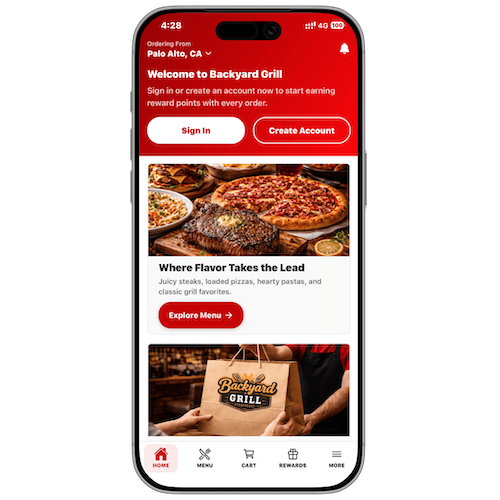
Applova Rewards
Drive repeat visits and higher spend with a points-based loyalty program that works across POS, Kiosk, Webstore, and Mobile App.
How It Benefits You
Flexible Point Accumulation
Four earning methods are available, so you can reward customers the way that fits your business.
Multiple Redemption Options
Customers can redeem points for discounts on their entire order or unlock free menu items.
Omnichannel Earn & Redeem
Points earned and redeemed across every Applova channel; Online Ordering, Kiosk, Mobile App, and POS.
Full Merchant Control
Create, edit, activate, or deactivate reward programs anytime from the Merchant Portal.
Free
No setup, no extra charge.
Points Based Loyalty Built for Hospitality
Applova Rewards helps you build customer loyalty by encouraging repeat visits and higher spend. By offering points based rewards, such as free items or discounts so that you give customers a reason to keep coming back while maintaining full control over your margins.
Using the Merchant Portal you can enable the rewards program, define multiple methods for how customers earn points, create reward offers, and manage existing rewards at any time. Customers earn points automatically with every qualifying purchase across all your Applova channels; POS, Kiosk, Webstore, and Mobile App and can redeem them at checkout for discounts or free items. Points are deducted from the subtotal in real time, and remaining balances are displayed on the customer screen so guests always know where they stand.
How It Works
Get up and running in minutes — no technical setup needed
Enable Applova Rewards
Go to Settings → Plugins → Applova Rewards on the Merchant Web Portal and turn on the program.
Configure Point Earning
Choose from spend-based, visit-based, item-based, or category-based earning methods and set the points for each.
Create Reward Programs
Define rewards such as discounts on entire orders, set the points required, and activate them.
Customers Earn & Redeem
Customers earn points with every purchase and redeem rewards on their next visit.